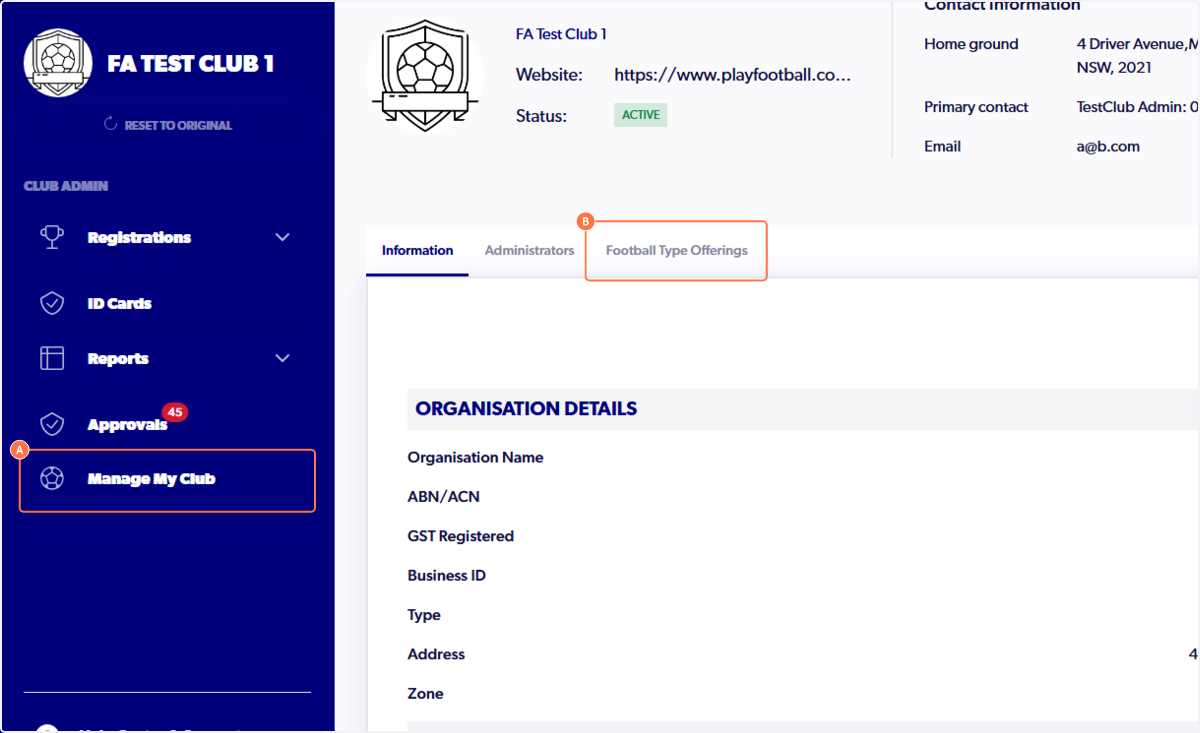
1. A. Click on Manage My Club
B. Click on Football Type Offerings
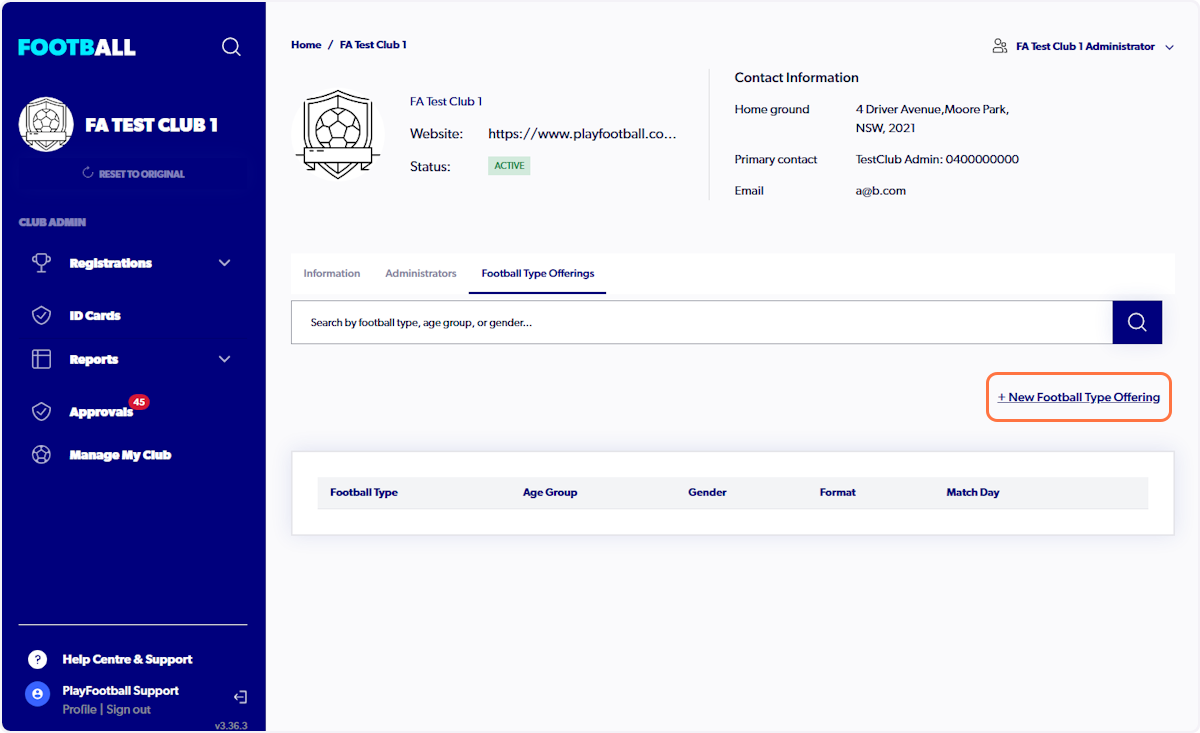
2. Click on + New Football Type Offering
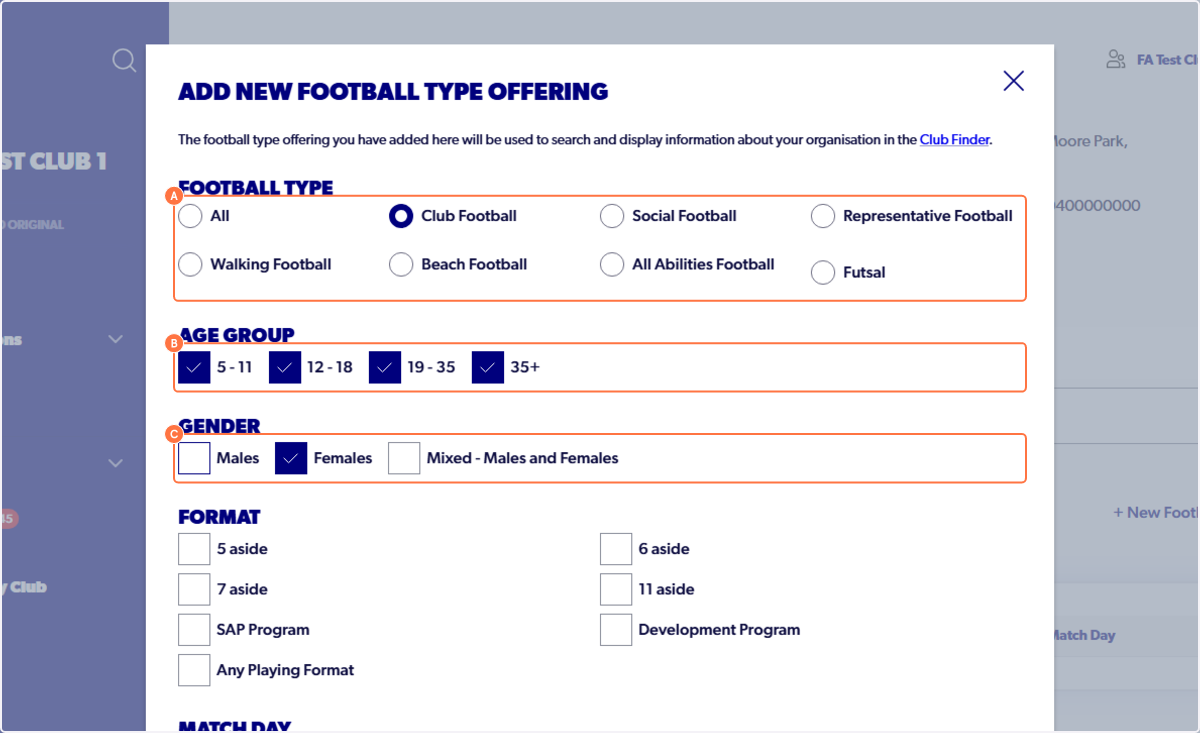
3. A. Select a Football Type
B. Select an Age Group
C. Select a Gender
4. Select a Format
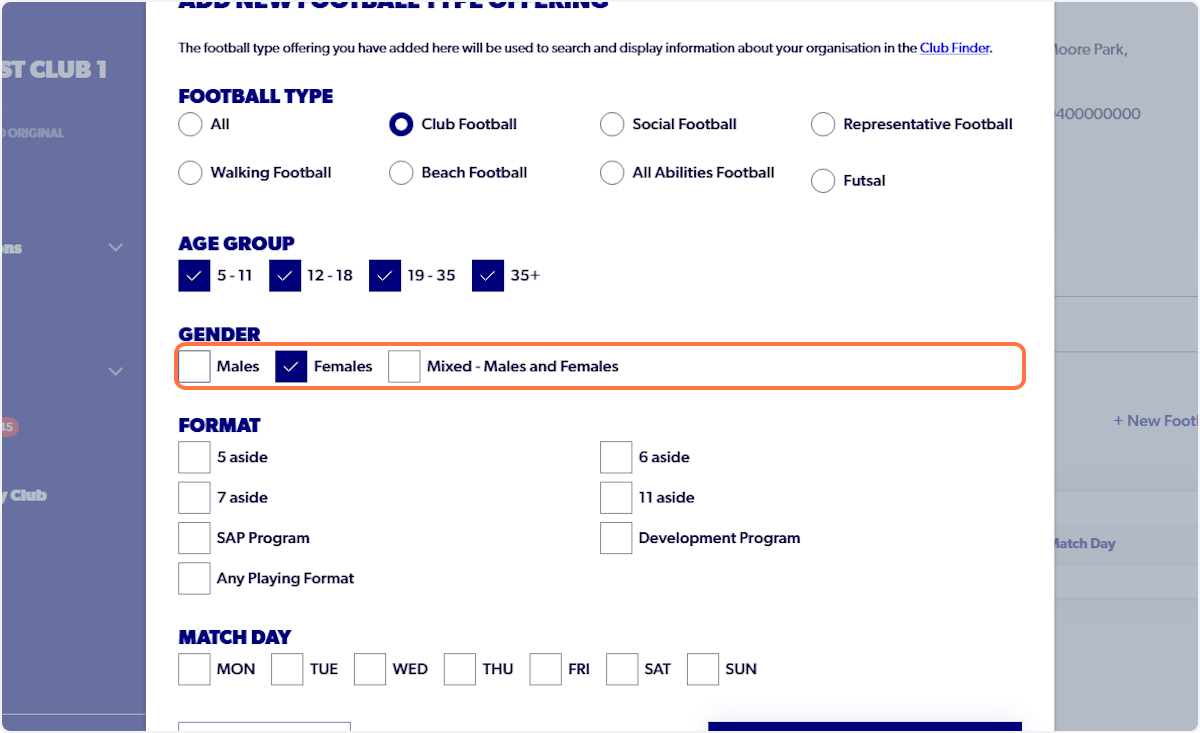
5. Select Match Day/s
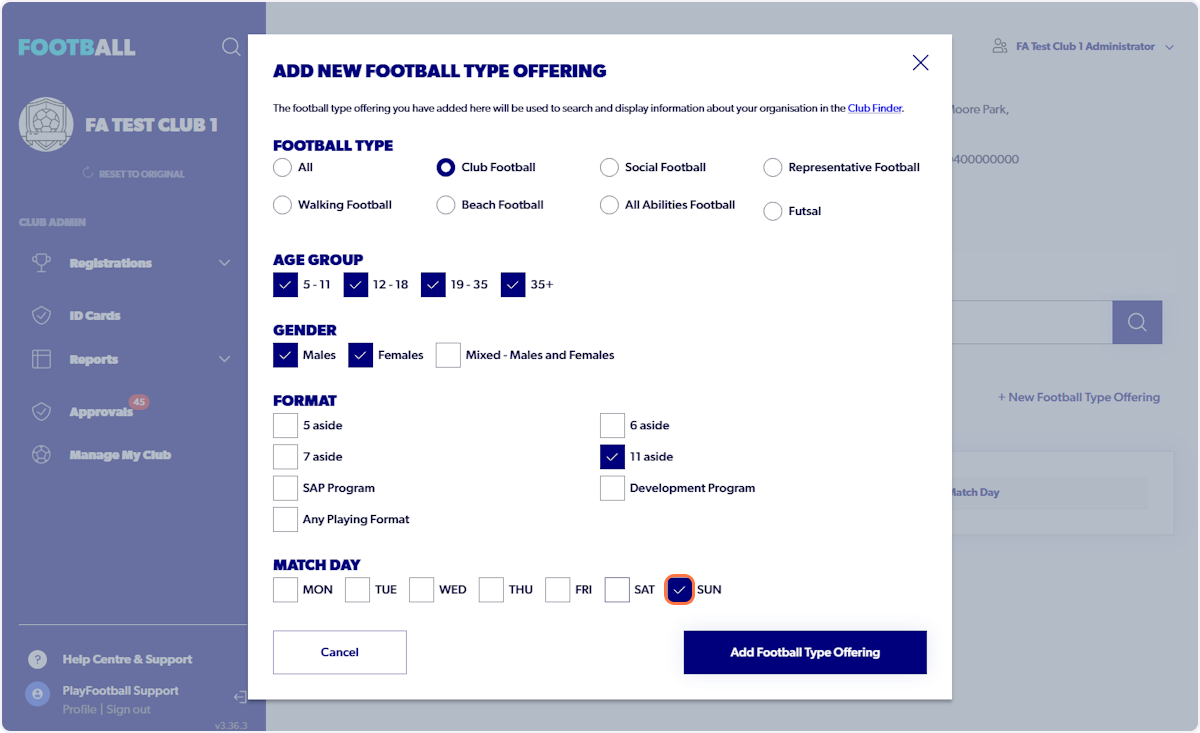
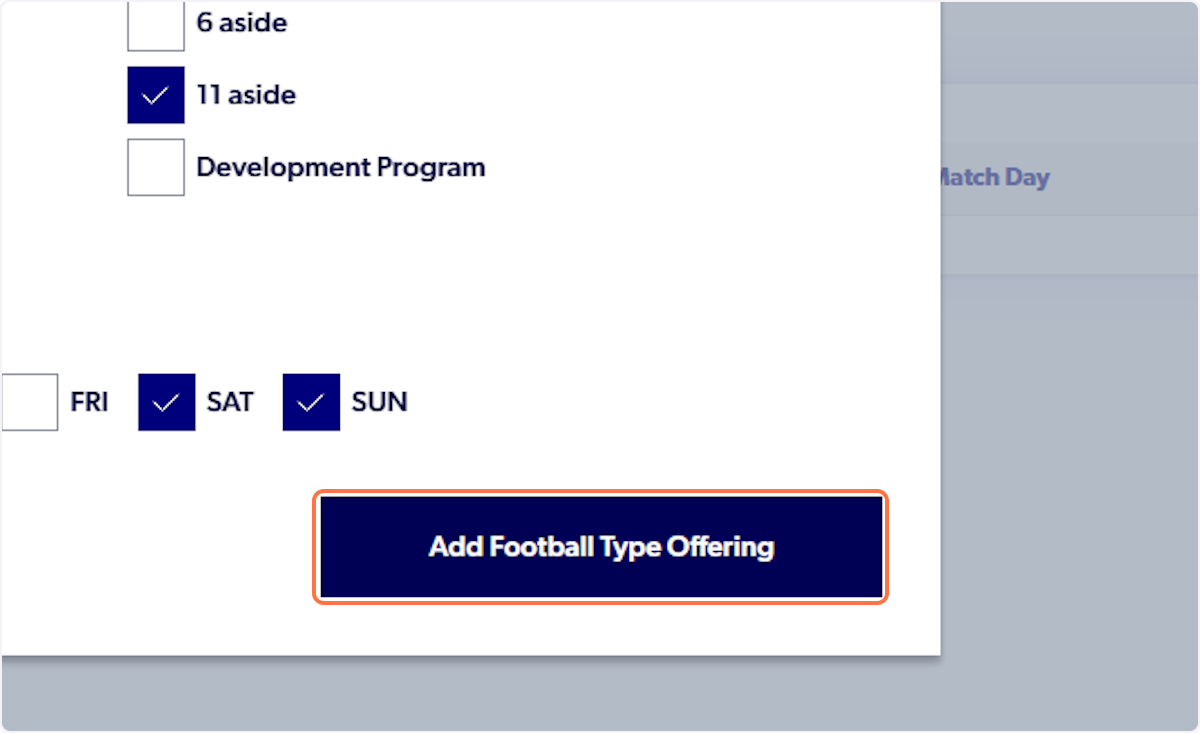
6. Click on Add Football Type Offering
7. Football Type will appear
If your Football Type doesn't appear immediately, please reload the page.
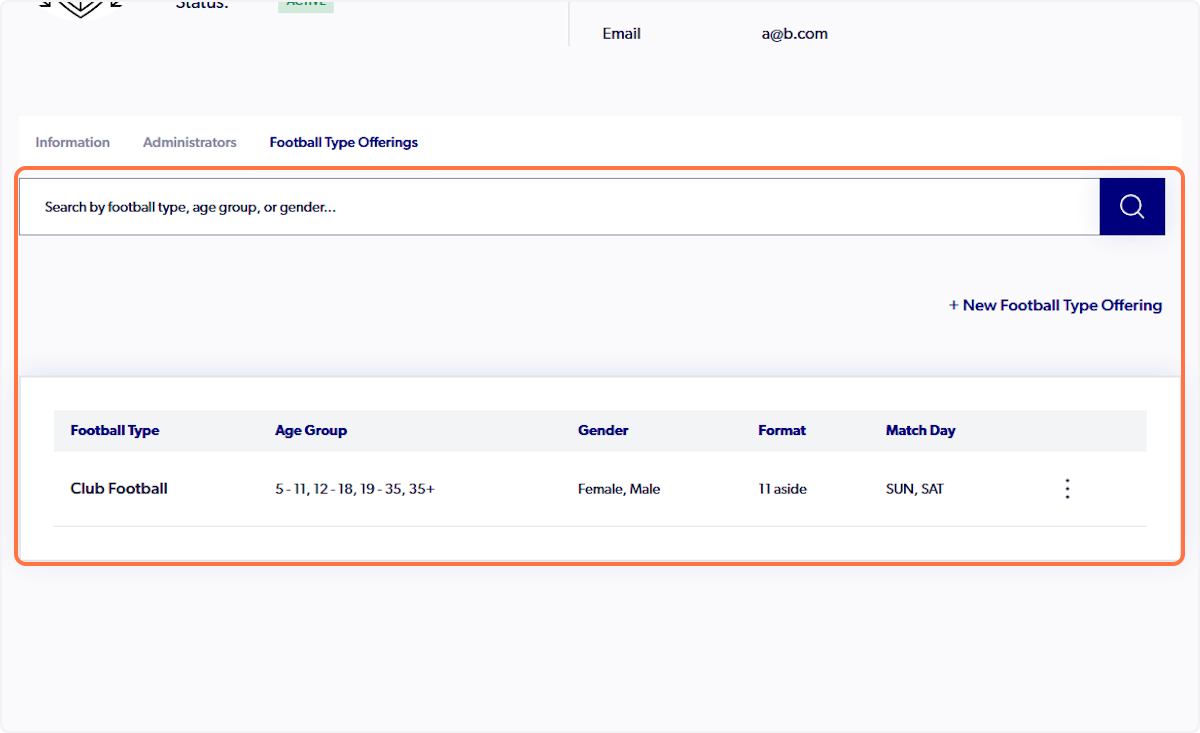
*Football type offerings will reflect on the Club Finder when the revised edition is released.*