If you are attempting to sign-in without an active registration, you will receive the following error message,
"We could not find a coach or referee registration connected to your Football Account. "
For coaches and referees that do have an active coach/referee registration, and still receive this error, it can mean that;
- Your active registration is linked to an account that is not assigned as the primary profile on your email address.
- Please follow the support article HERE to assign yourself as the primary account.
- You have multiple PlayFootball accounts
- Please contact PlayFootball Support to assist in merging these duplicate accounts.
- Email: support@playfootball.com.au or Telephone: 02 8880 7983
If you are interested in starting your referee or coaching training, you will need access to the Football Australia Learning Centre. To gain access, you must have an active registration on PlayFootball. To complete this registration, please follow the steps outlined in this support article.
Before creating your account, it is important to select the correct registration pathway.
Option 1: If you are currently coaching/refereeing with a club, register through your club's coach registration link in PlayFootball. This ensures your coaching role is linked to the club and provides access to the Football Australia Learning Centre once approved.
Option 2: If you are not currently coaching/refereeing with a club, register as a Learner Coach or Learner Referee. The Learner registration is designed for individuals who want to undertake coaching/referee courses or access learning materials but are not actively coaching/refereeing at a club.
To complete the registration process, please ensure:
- Your personal details are correct.
- Your email address is current.
- Your valid Working With Children Check (WWCC) or exemption is provided.
Important: The email address used during registration will also be used to access the Football Australia Learning Centre.
Option 1: I Am Coaching/Refereeing at a Club
If you are a coach or referee with a club, complete your registration through your club's PlayFootball registration.
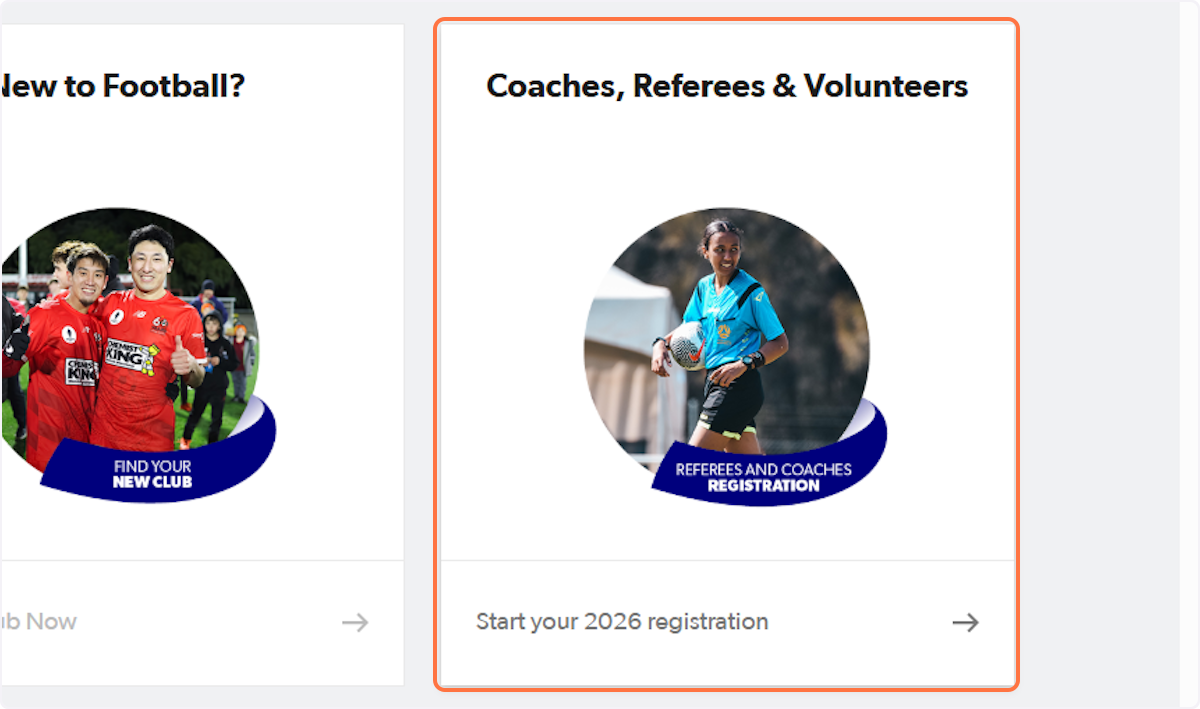
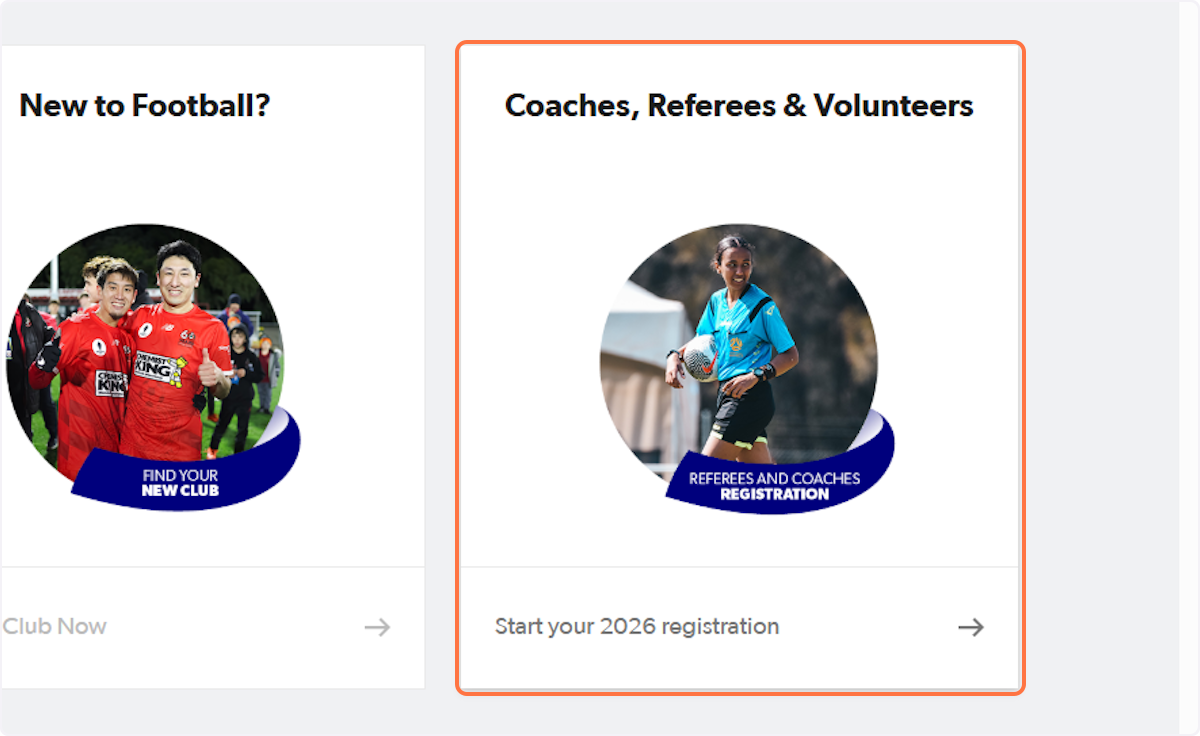
Step 1. Click on Coaches, Referees & Volunteers…
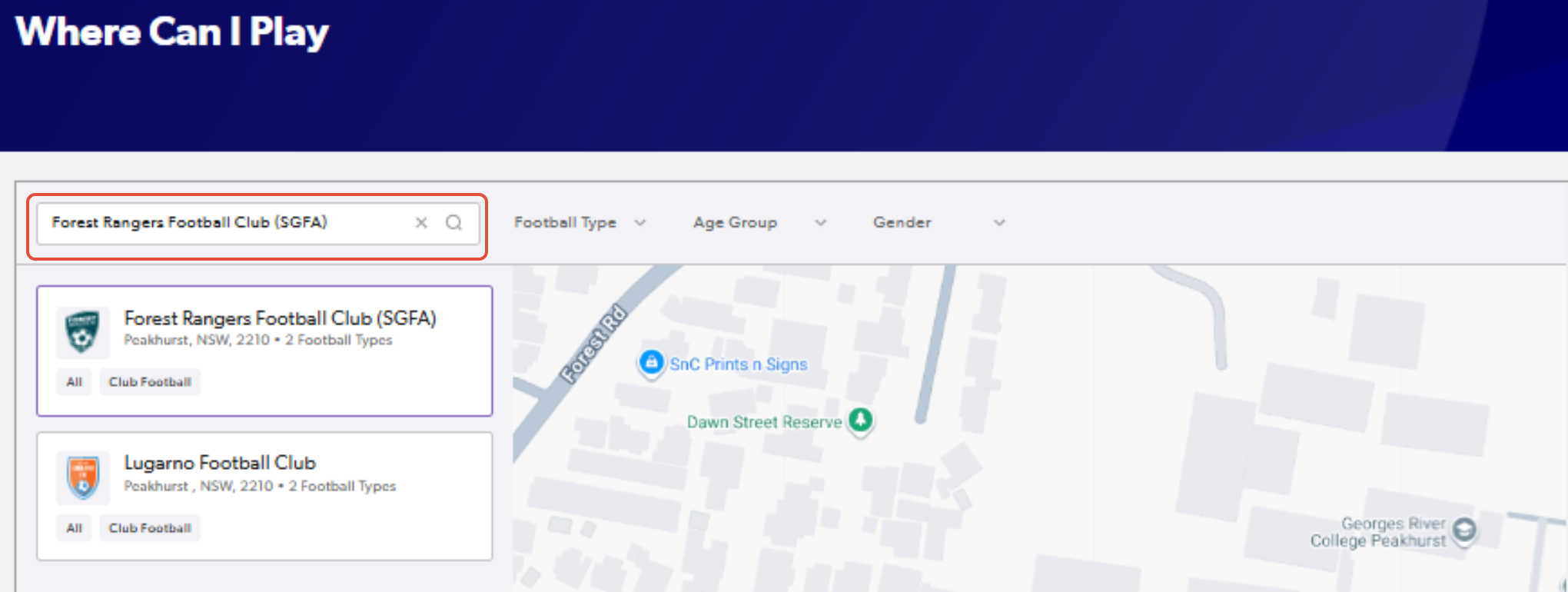
Step 2. Search for the club name
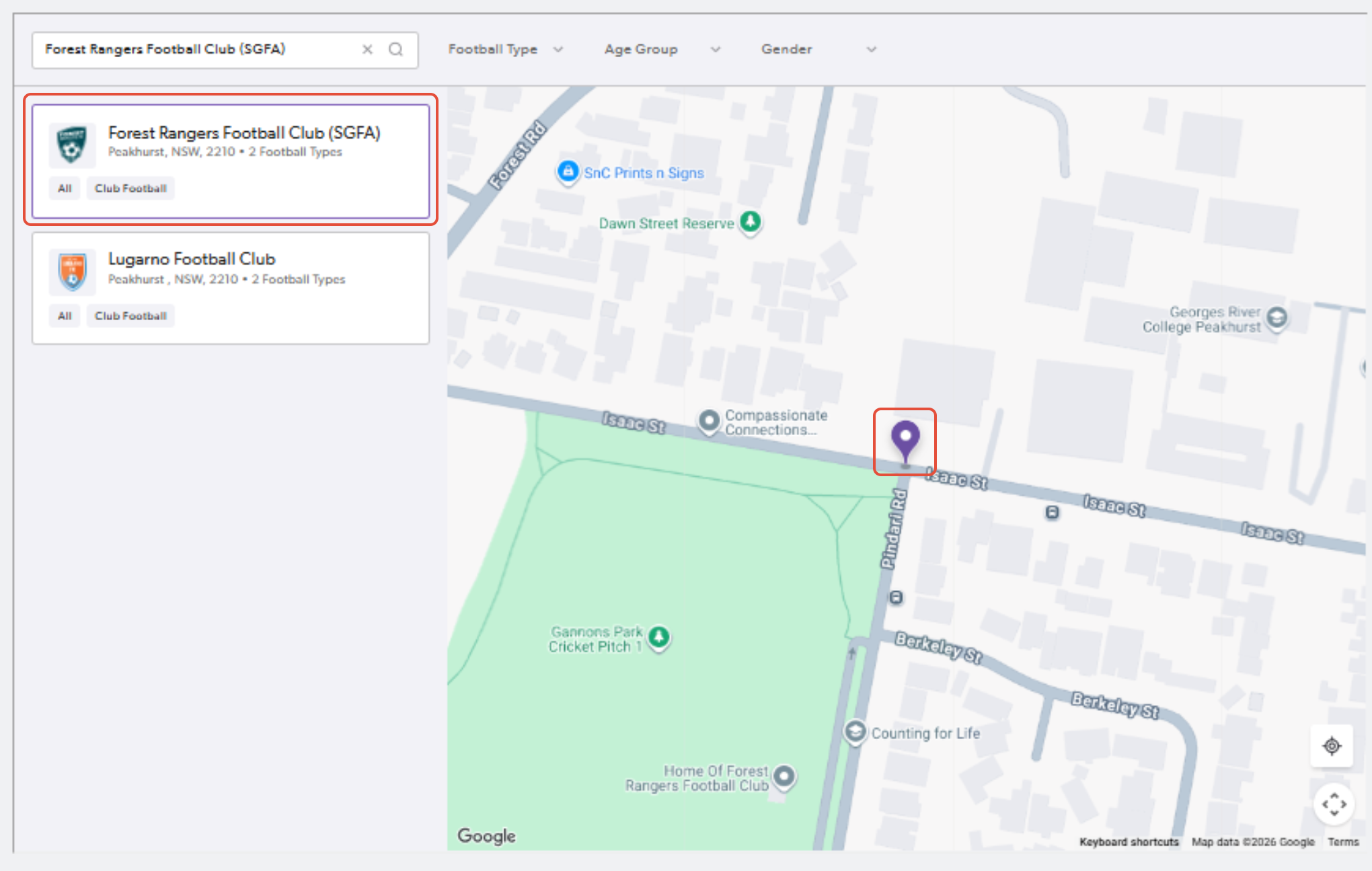
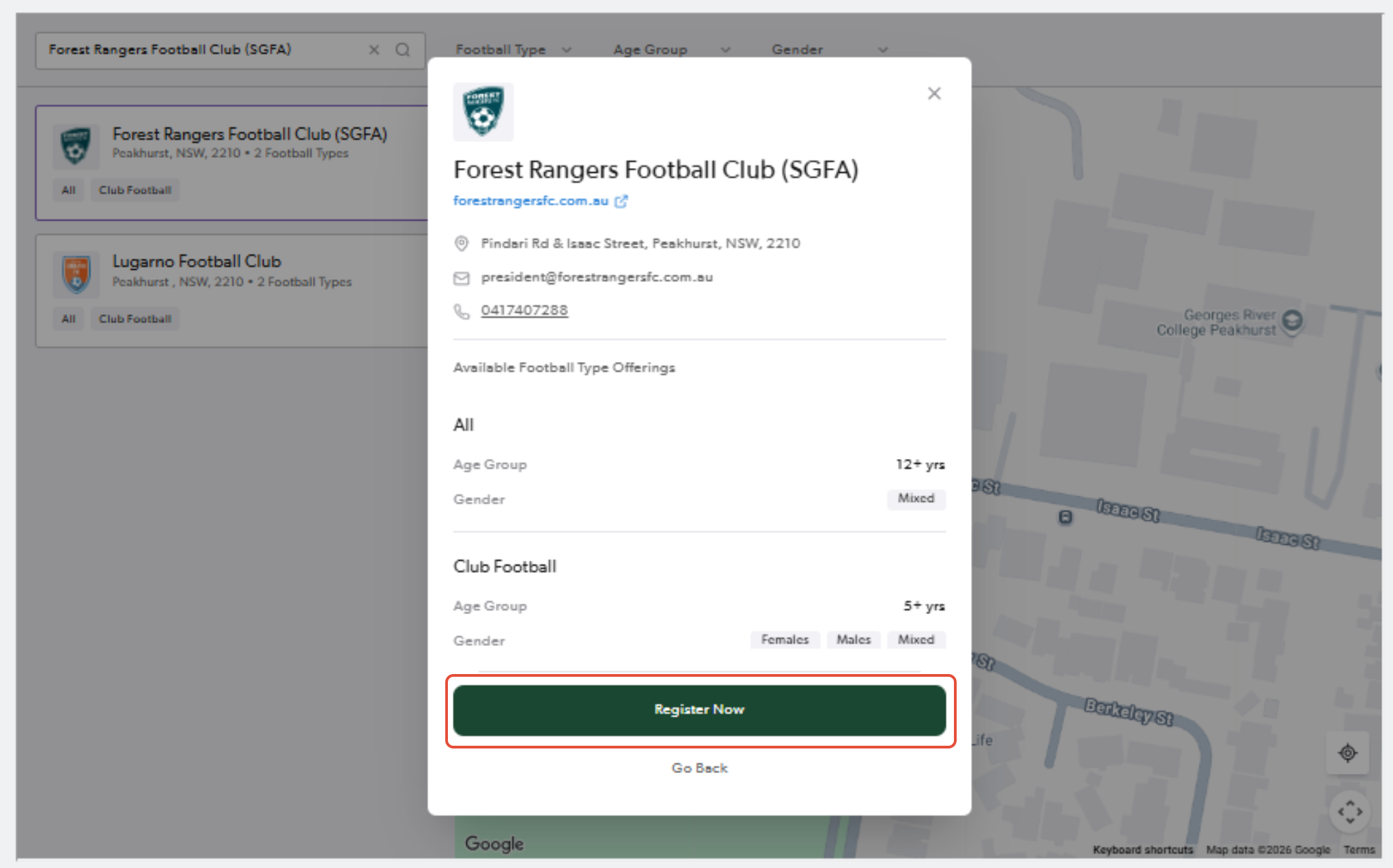
Step 3. Click on the club name or location and confirm the details. Once you have done so, click "Register Now"
Step 4. Fill out your details and click you have agreed to the terms & conditions
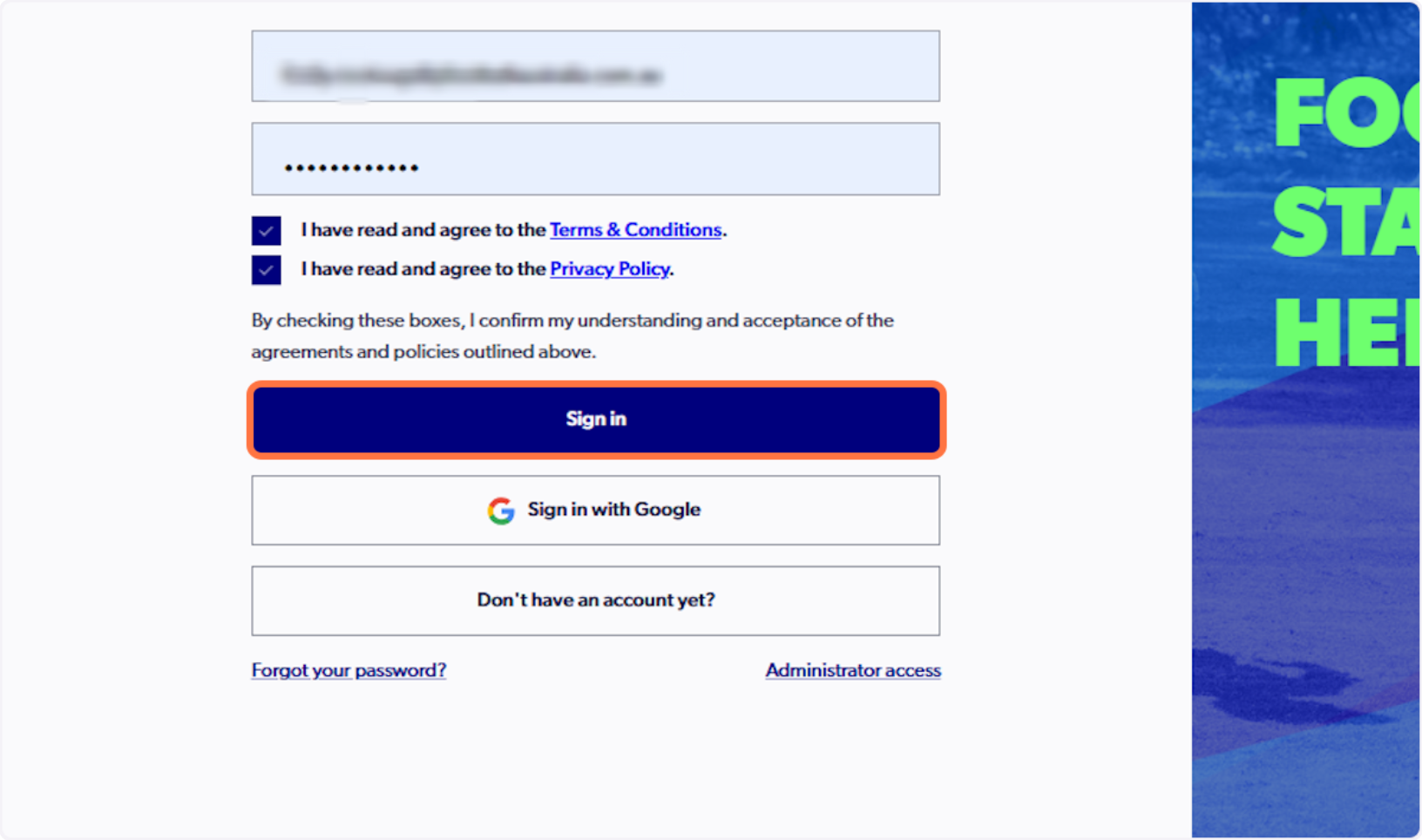
Step 5. Click on Details of the coach product
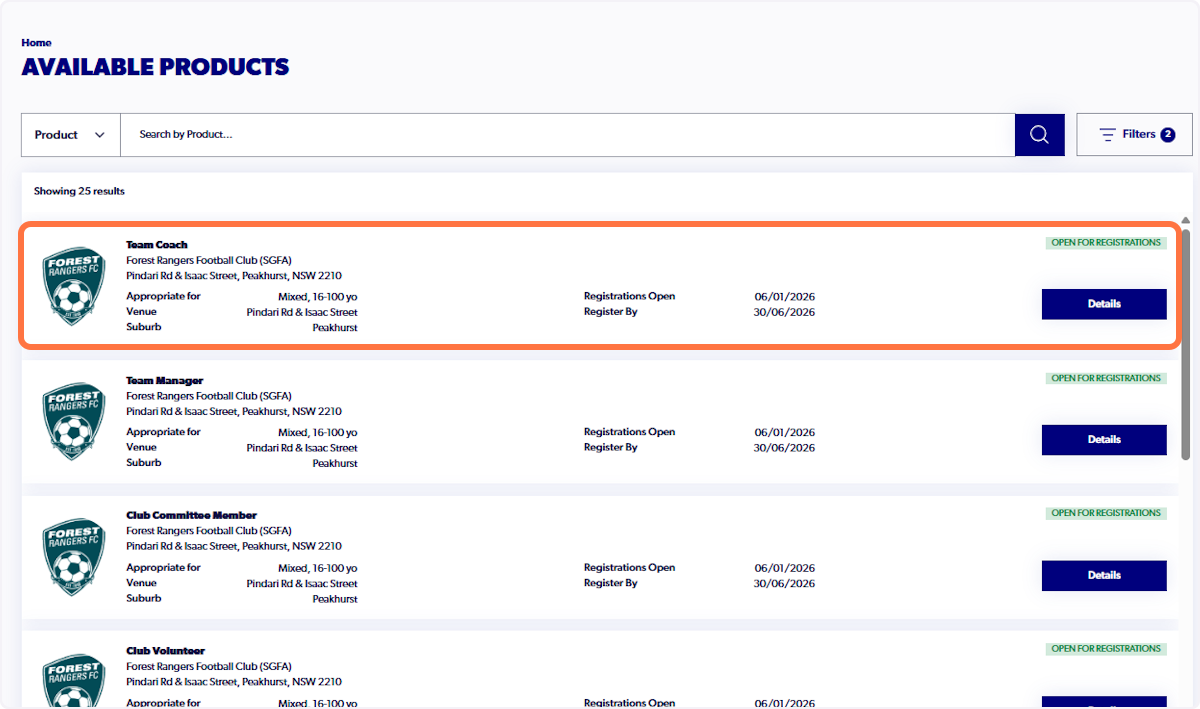
Step 6. Click on Register and fill in the details on the form
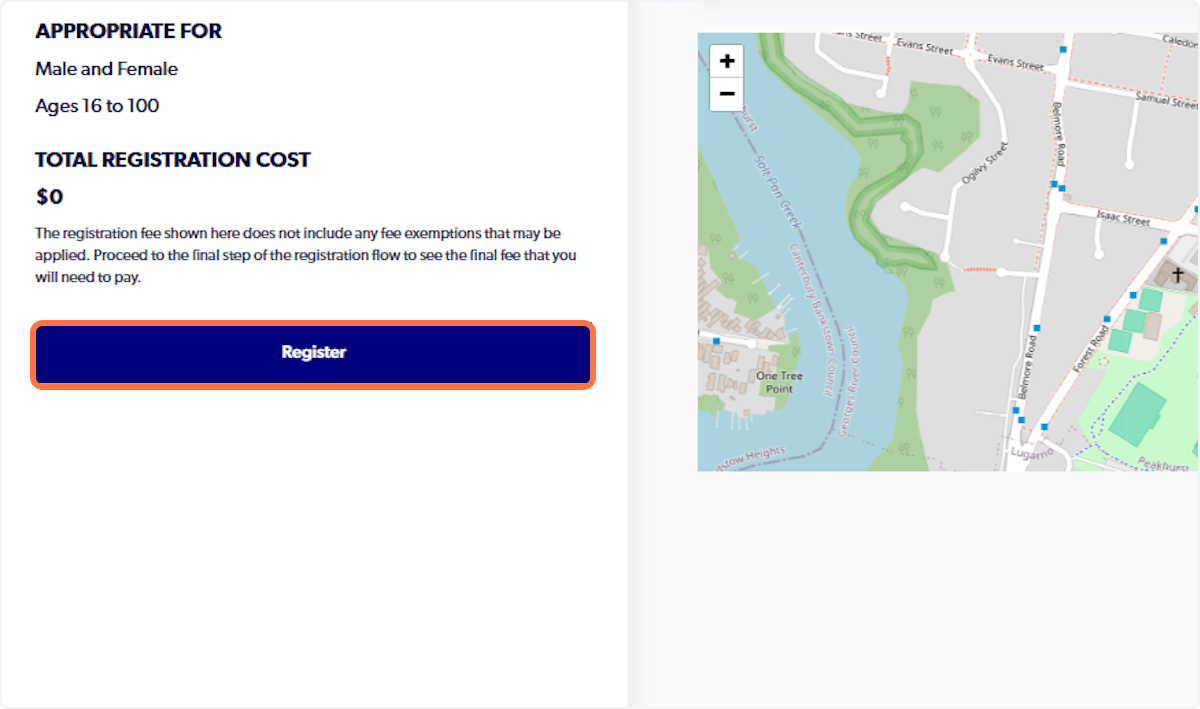
Step 7. Click on Submit Registration
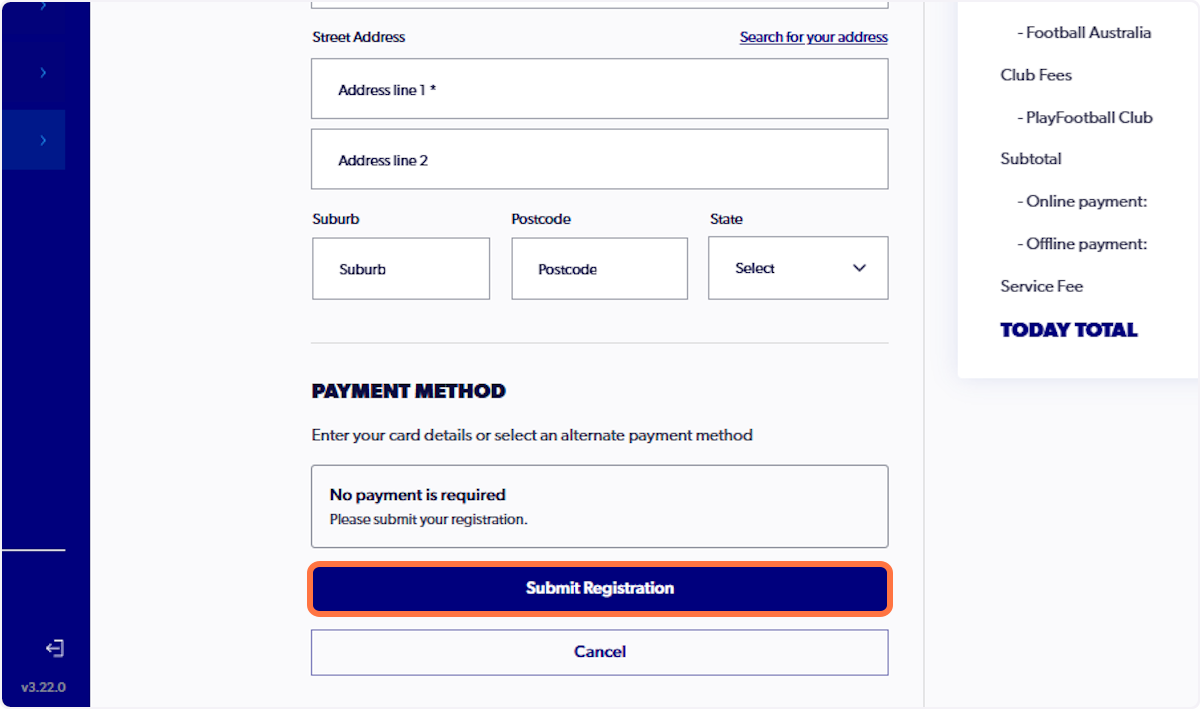
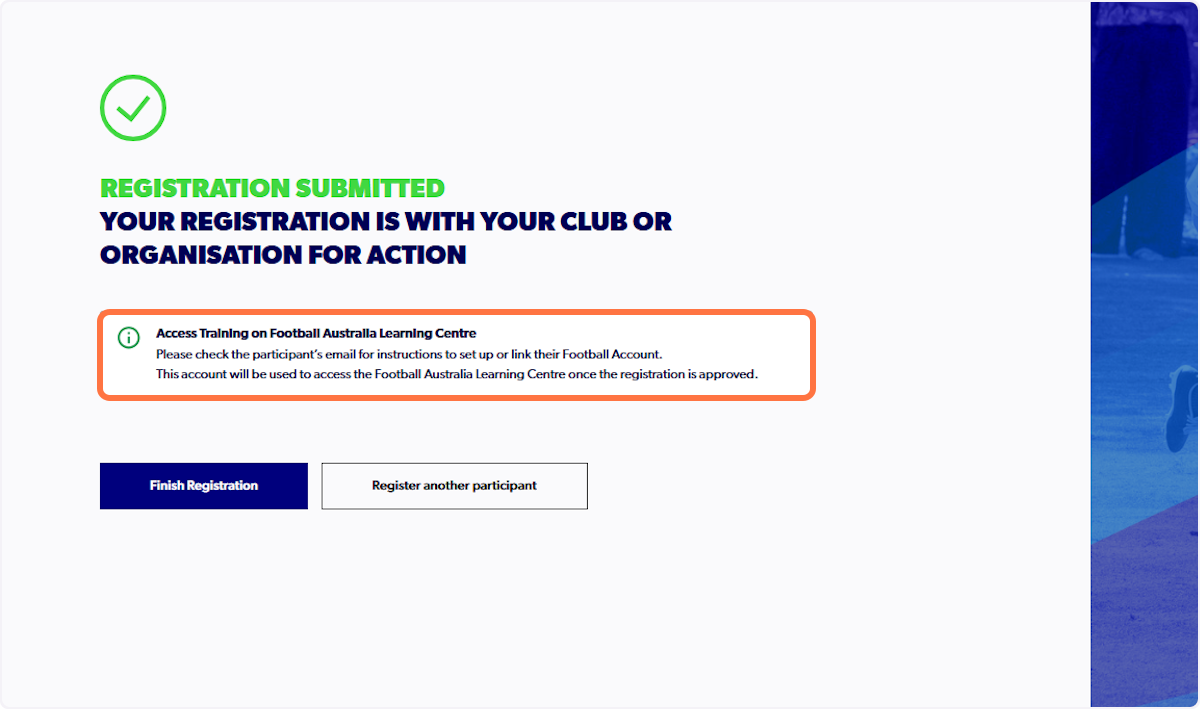
Step 8. Finish registration and visit your inbox for further information
Step 9: Wait for Approval
Your club must approve the registration before Learning Centre access becomes available.
Step 10: Access the Learning Centre
Once approved:
Go to the Football Australia Learning Centre

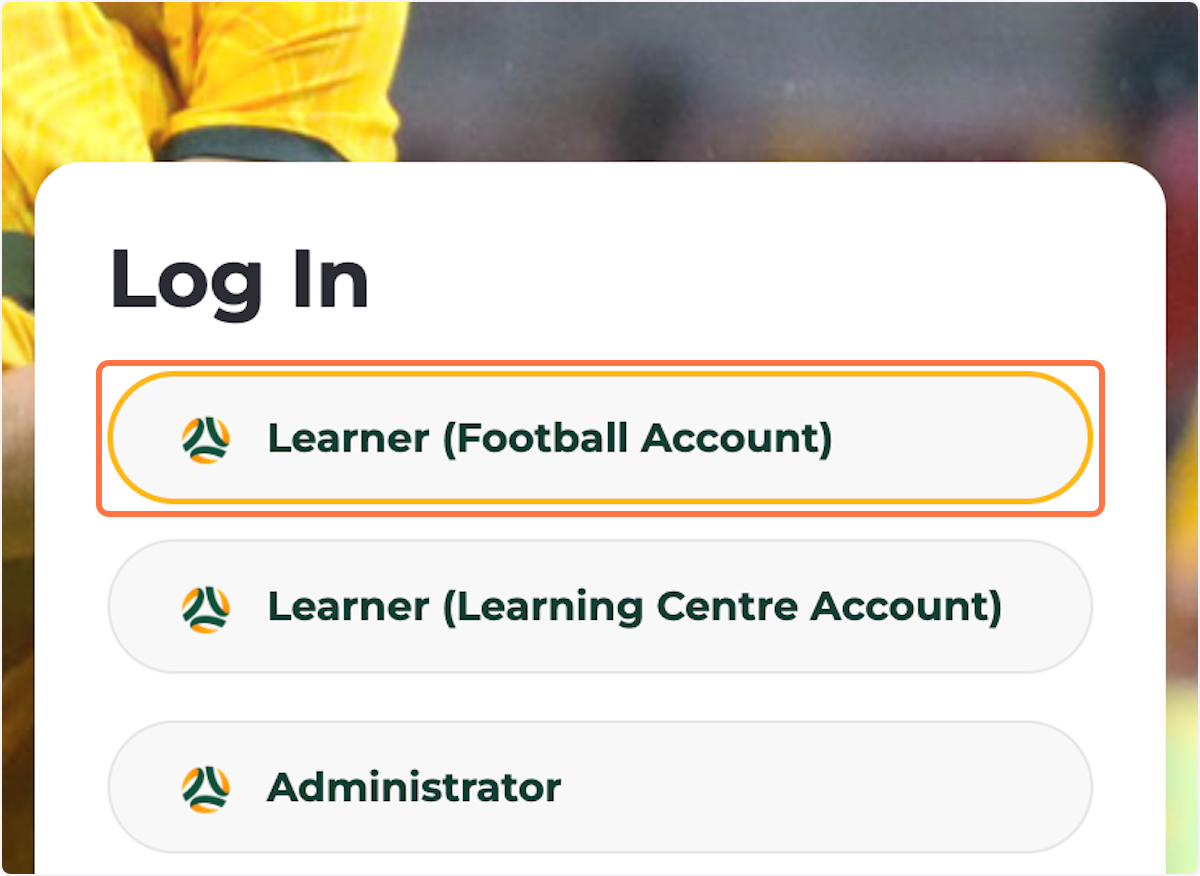
Click on Learner (Football Account)
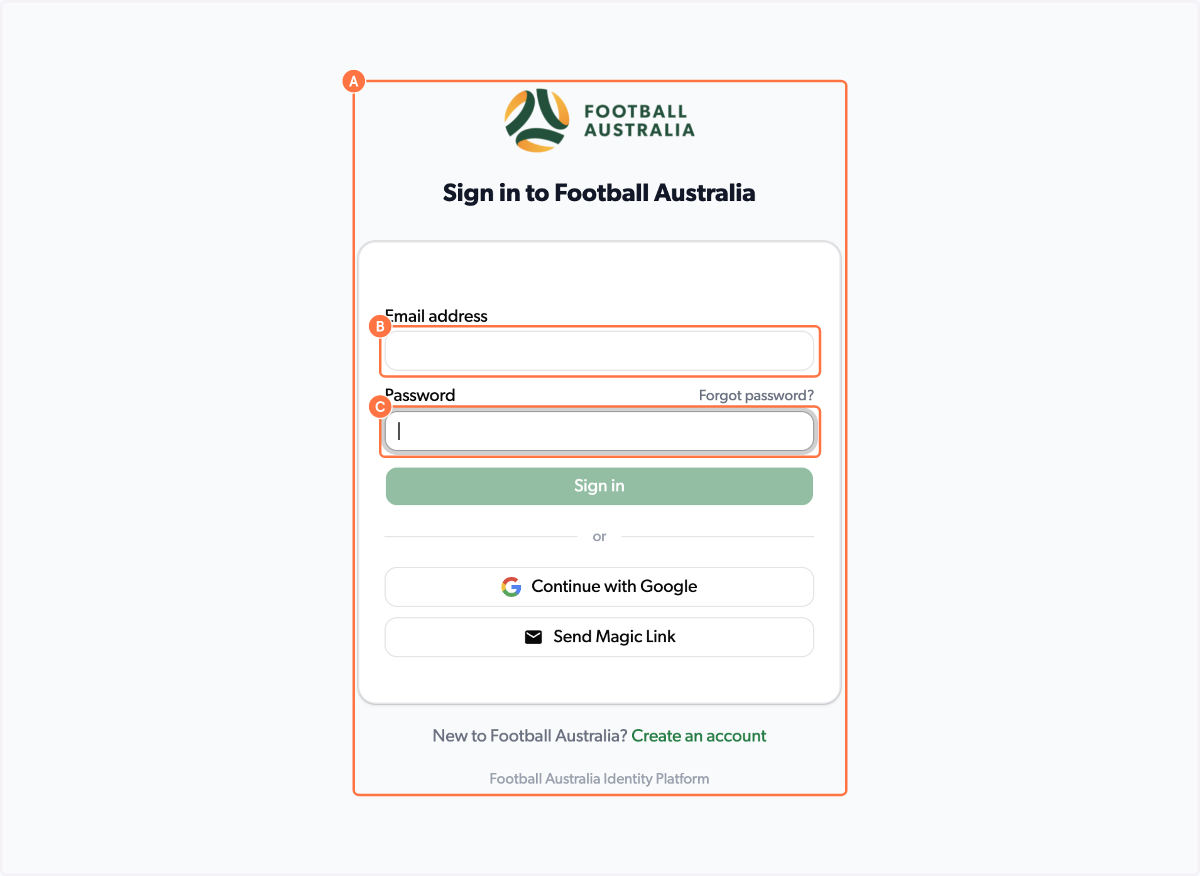
Sign in with your PlayFootball account details (Sign in using the same email address and password used for your PlayFootball account).
Option 2: I Am Not Coaching at a Club
Step 1. Navigate to the PlayFootball site HERE
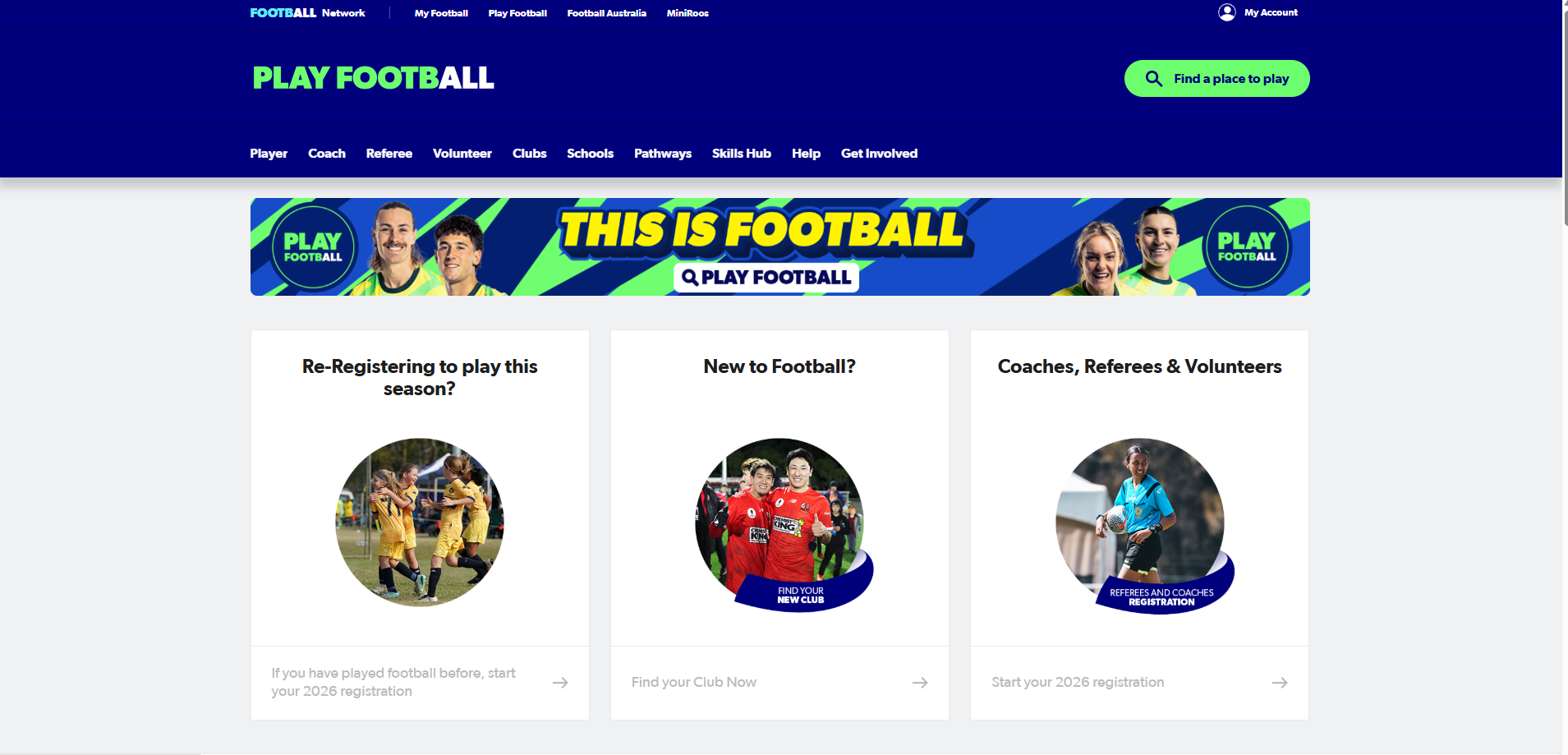
Step 2. Click on Coaches, Referees & Volunteer
Step 3. Type 'Learner'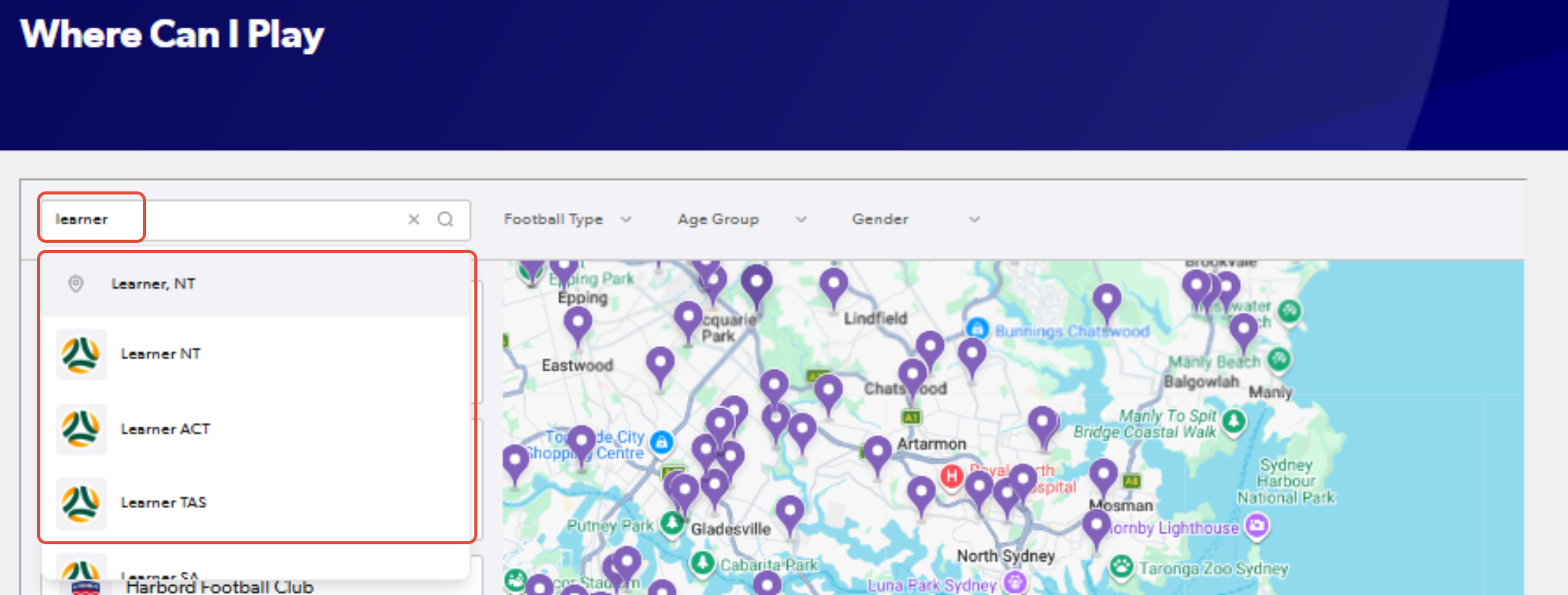
Step 4. Select the 'Learner' option in your state and click either the name or location pin to open the summary
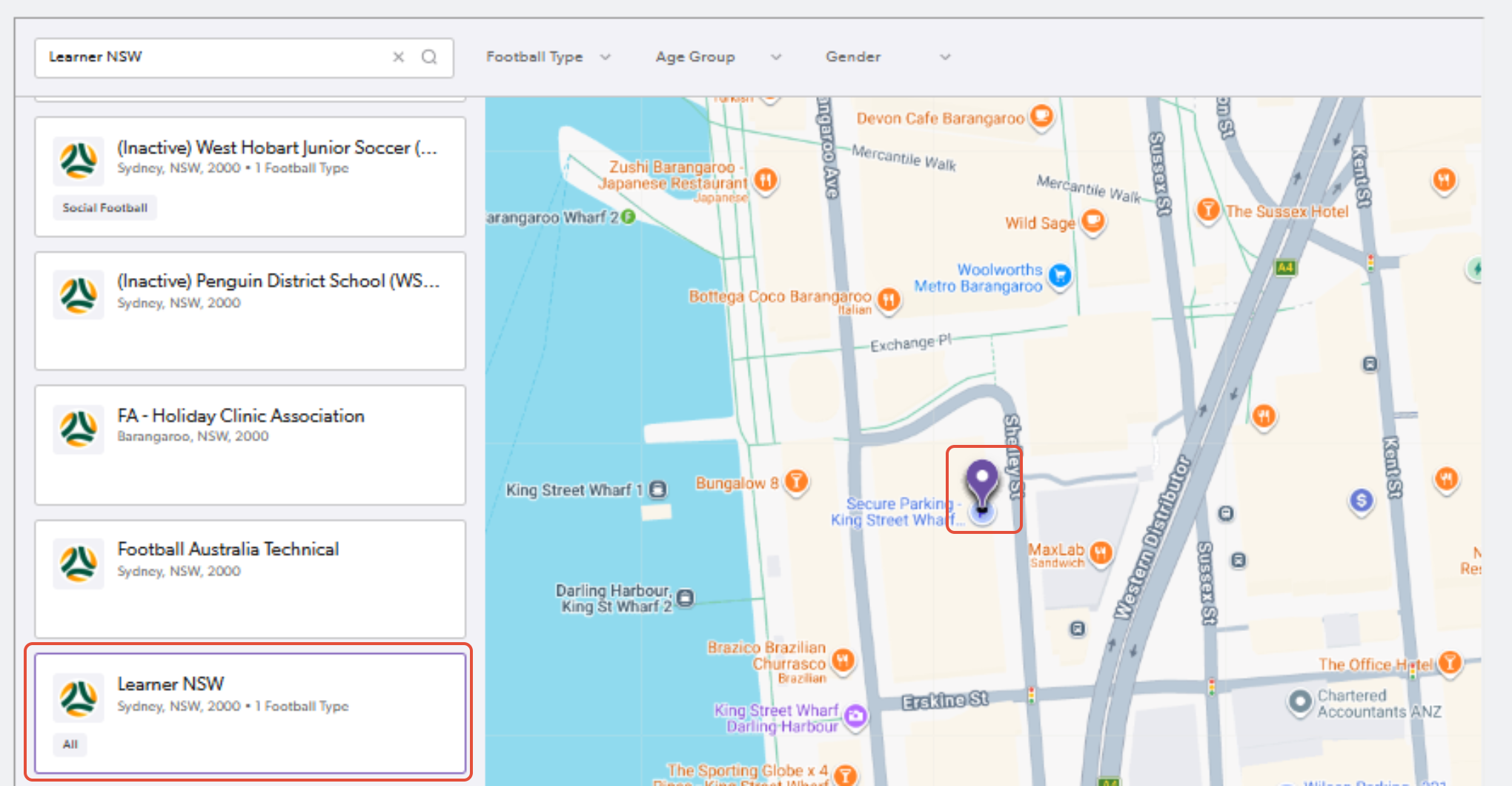
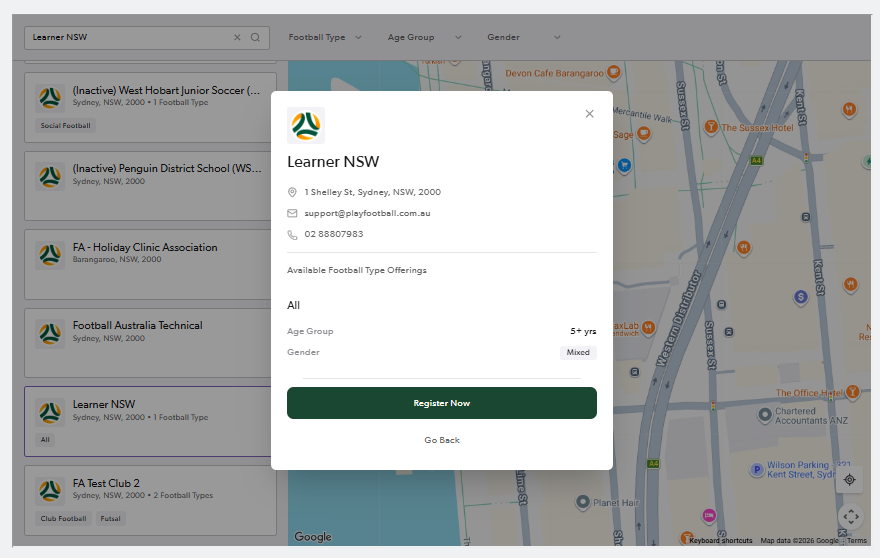
5. Click "Register Now"

6. Sign into PlayFootball, or 'Don't have an account yet?' to create a new PlayFootball account
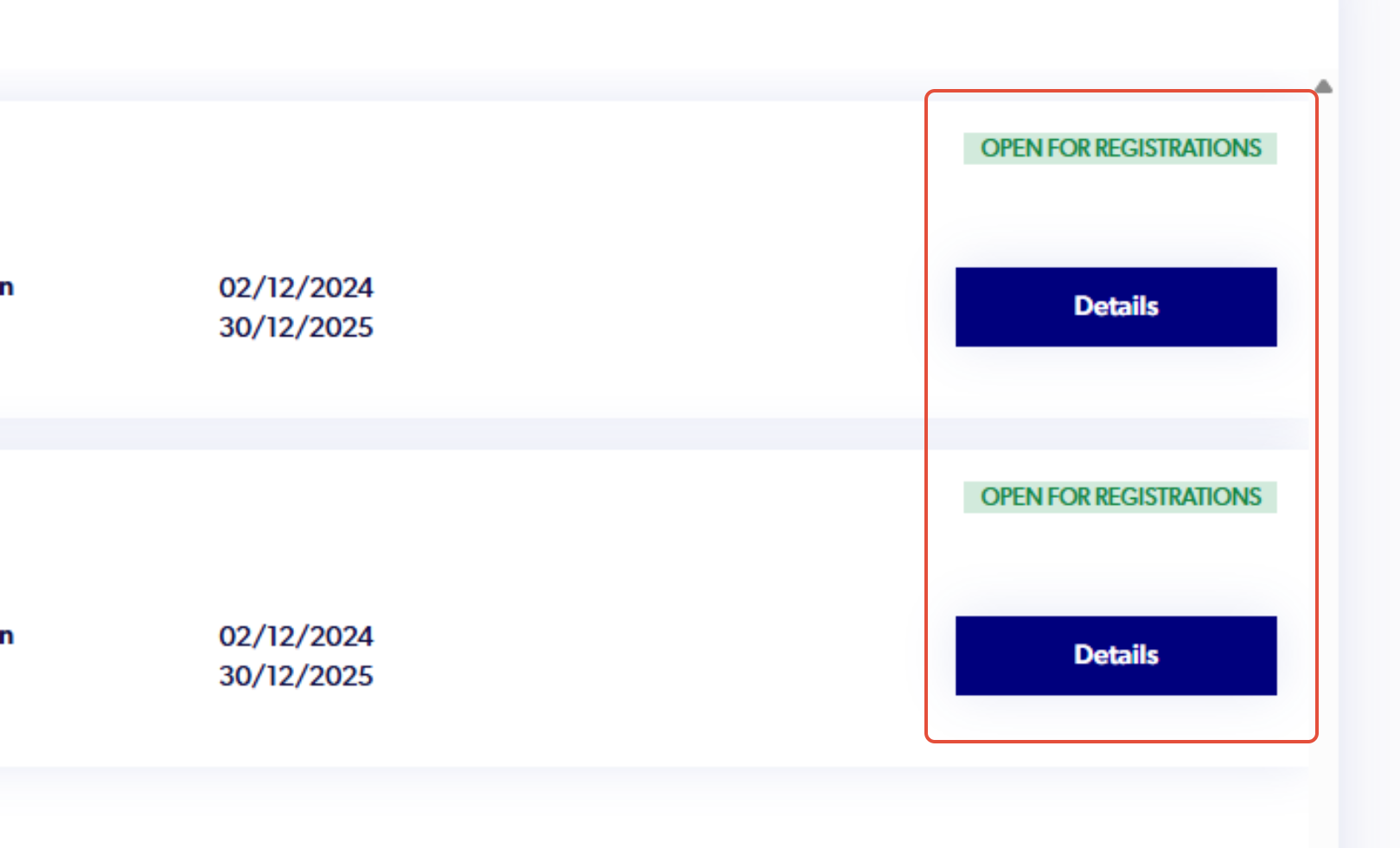
Step 7. Select 'Details' for the relevant registration product (e.g Learner Coach or Learner Referee)
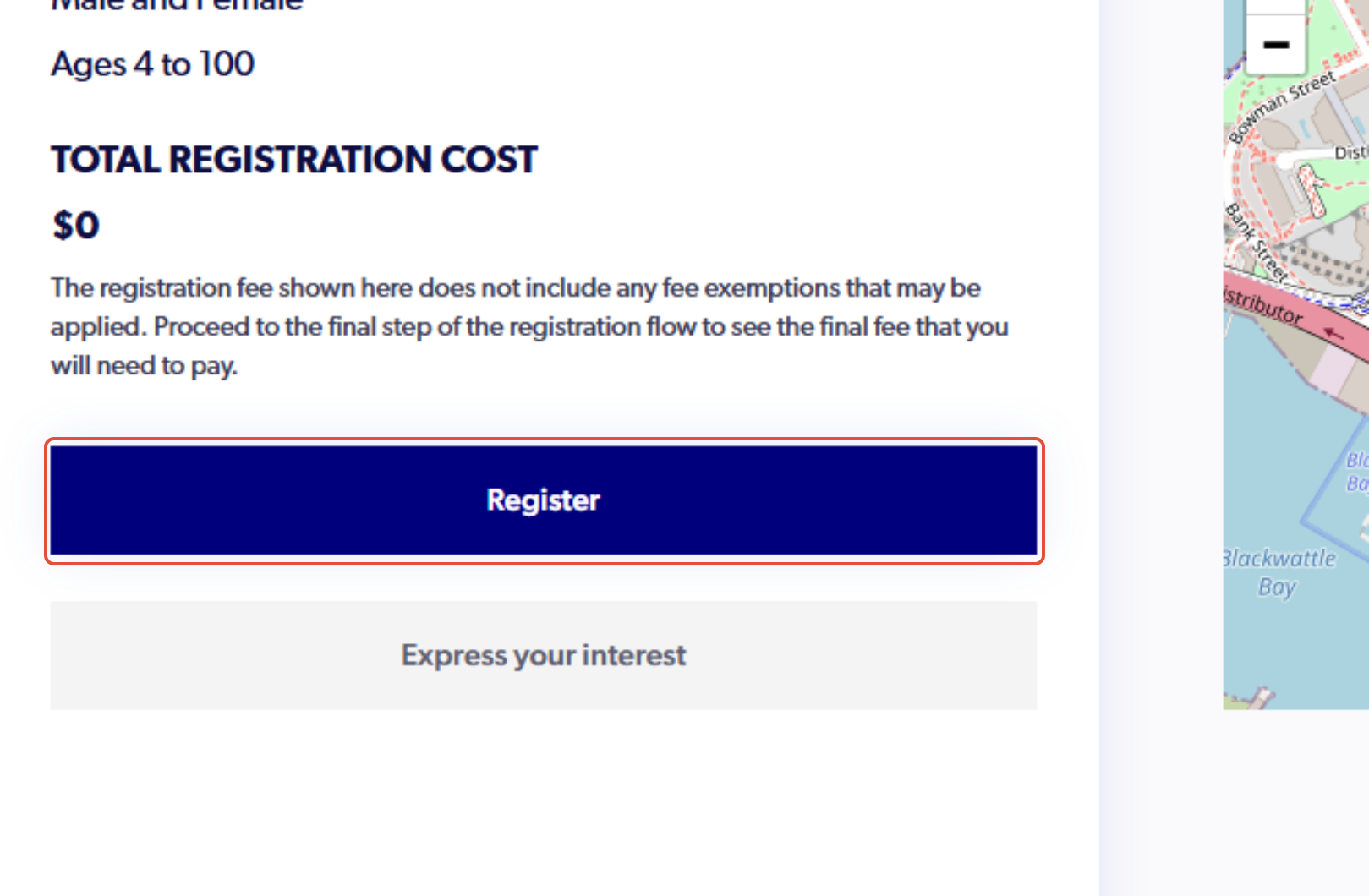
Step 8. Select 'Register'
Step 9. Continue with all registration steps.
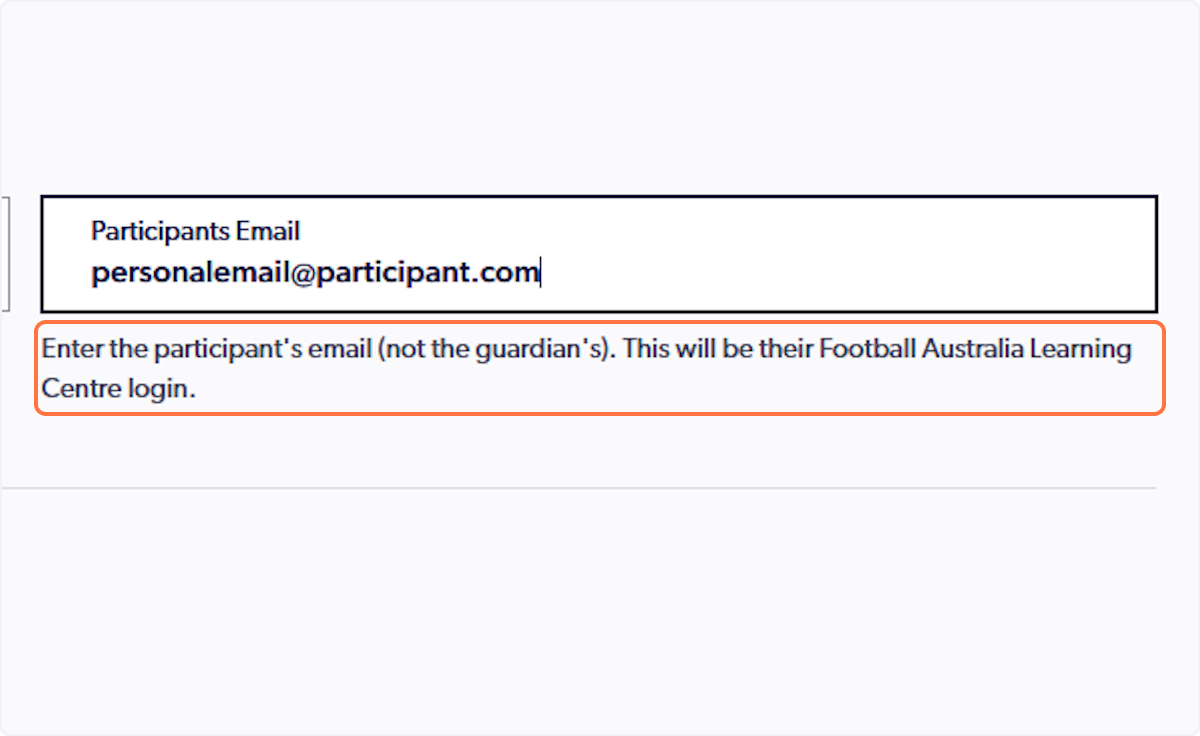
Note. On Step 3, 'Contact Details' enter the participant's email (not the guardian's). This will be their Football Australia Learning Centre Username
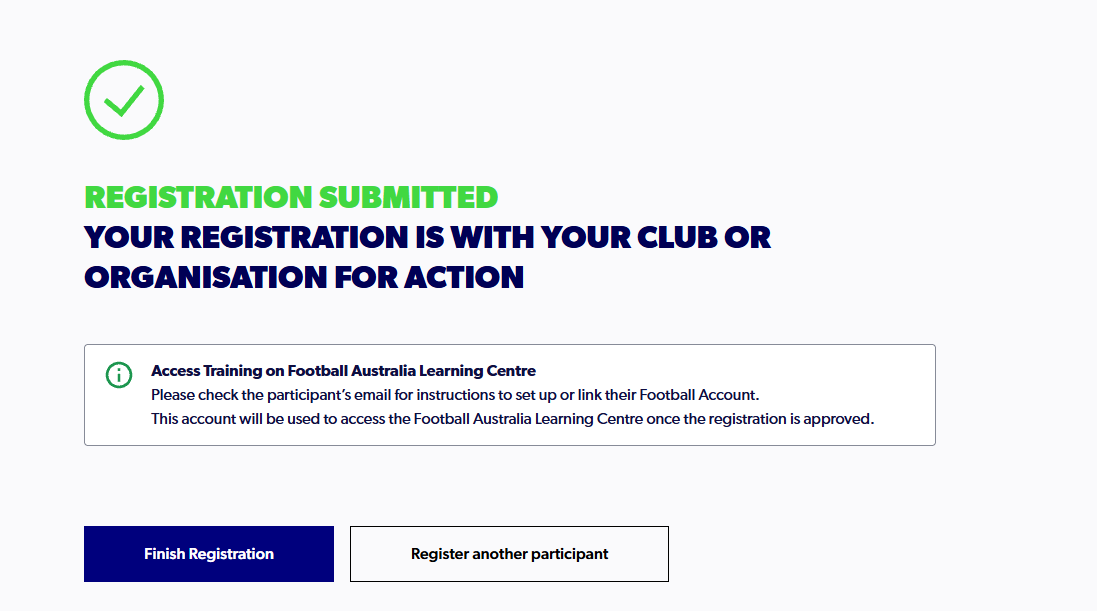
Step 10. Once your registration has been submitted successfully, you should receive the below message and select 'Finish Registration'
Step 11: Wait for Approval
Your club must approve the registration before Learning Centre access becomes available.
Step 12: Access the Learning Centre
Once approved:
Go to the Football Australia Learning Centre

Click on Learner (Football Account)
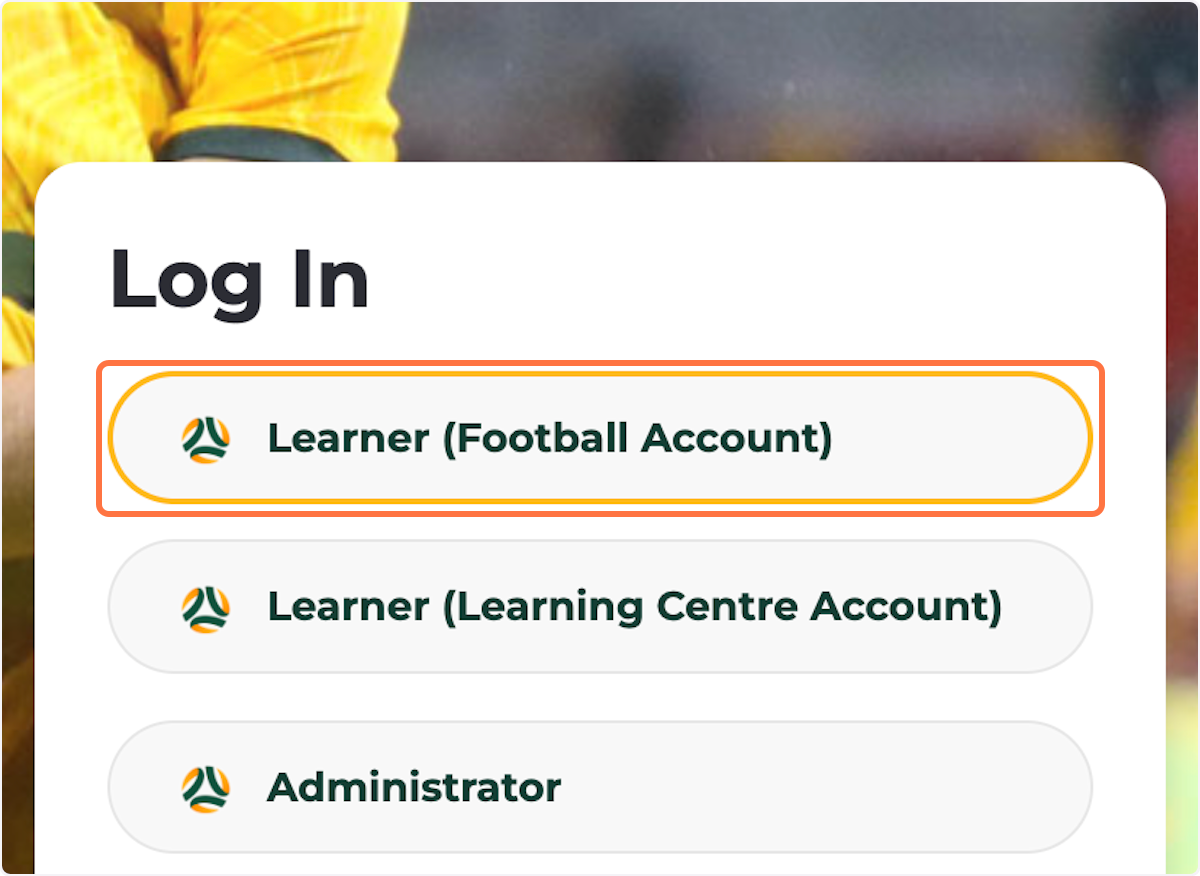
Sign in with your PlayFootball account details (Sign in using the same email address and password used for your PlayFootball account).
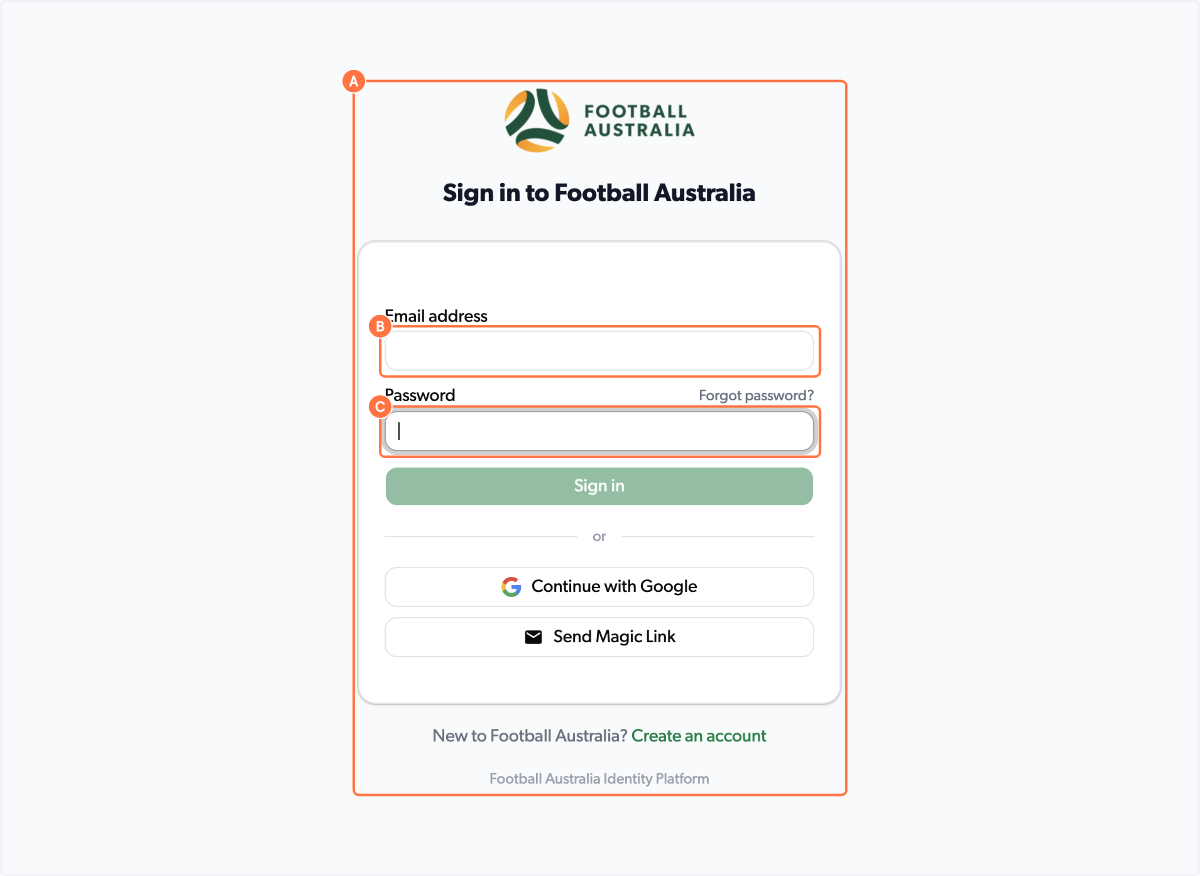
PLEASE NOTE: You will not be able to access the Learning Centre until your coaching or refereeing registration is approved. Please contact your club and/or Member Federation for this.
Before contacting support, confirm:
✅ My coach/referee registration has been approved.
✅ My WWCC (or exemption) has been provided.
✅ I am logging in with my PlayFootball account details.
If you have any further enquiries, please direct them to learningcentre@footballaustralia.com.au
